I’m writing this post directly into an Obsidian vault, from an outline Claude just riffed on in the terminal, then spawned as a markdown file for me to work on. We went from an idea to a skeleton for a post — with inline comments and ready-to-go frontmatter — in the space of a minute or two. Here’s what that looks like as we’re writing it together, right now:
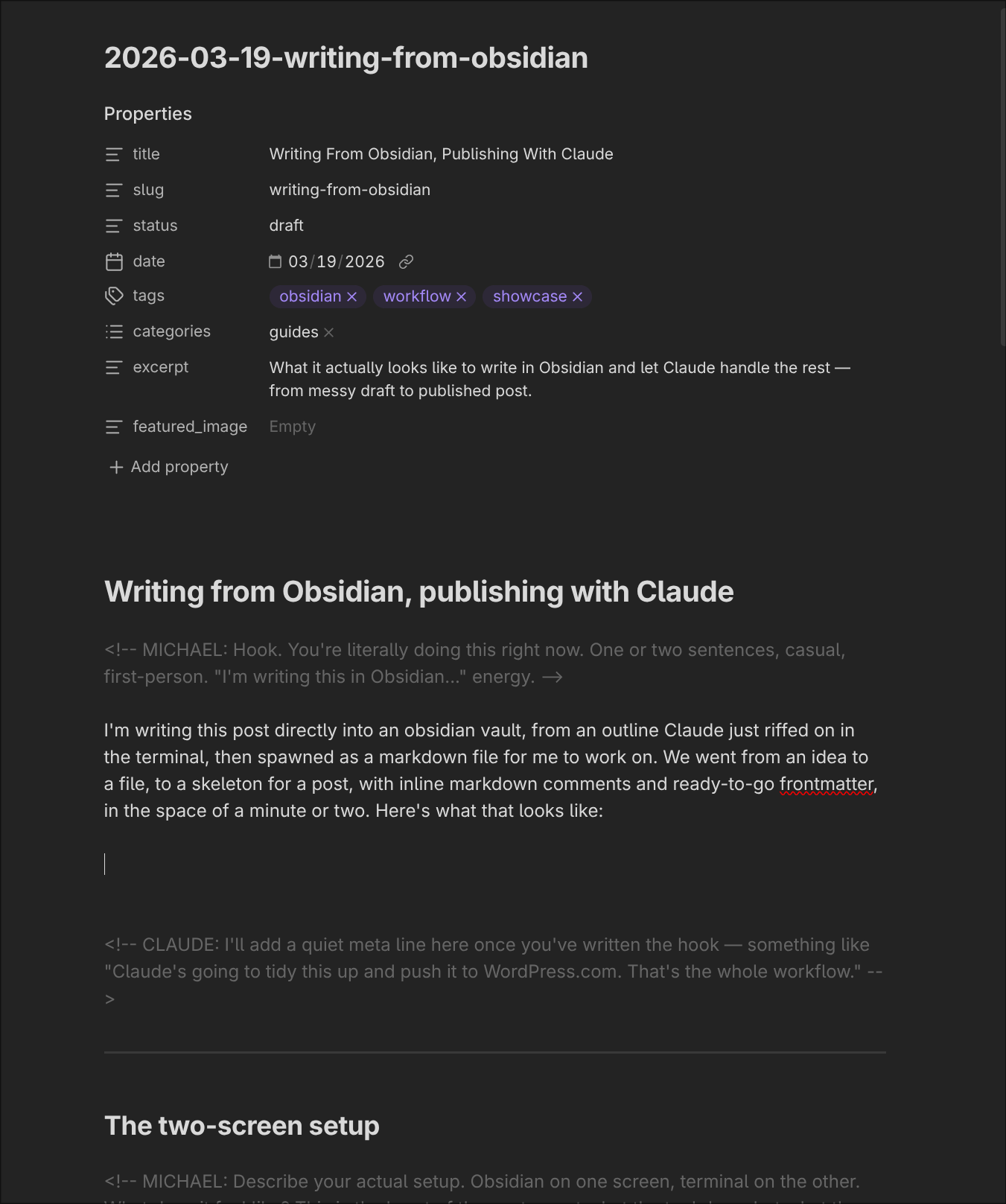
When I’m done with my pass, I’ll hand it back to Claude for editing, conversion to WordPress block markup, and a push to production. That’s the whole workflow.
The two-screen setup
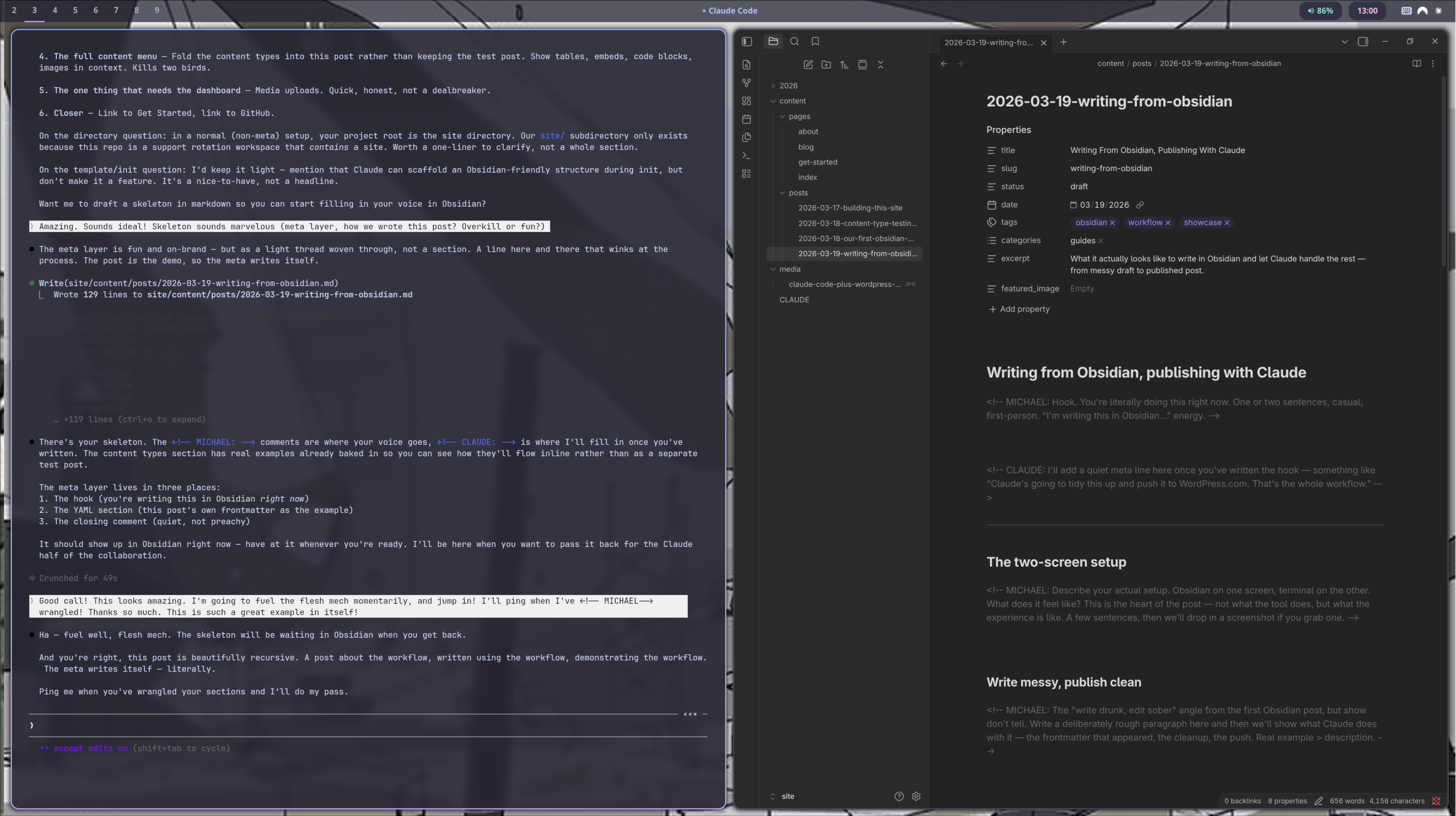
Zooming out a little, here’s my Hyprland desktop.
Claude’s on the left. Obsidian’s on the right.
We chat. We riff on ideas. We comment, edit, write, and iterate, all from one screen:
Write messy, publish clean
It’s not just the scaffolding, or how easy it is to go from markdown to published — though that part is beautifully conducive to focus.
It also means I can grab my phone when I’m out for a walk and babble some half-baked idea into Obsidian, or rough out a few bullets, or ask Claude to help grab some research and think about a flow.
It closes the gap between messy thinking — Hemingway’s “write drunk”, that early free-writing, freewheeling stage — and iterative improvement (“edit sober”), the refinement of an idea from rough to realisation. And that’s recursive. One of us roughs something out, the other expands or tweaks or edits, and passes it back.
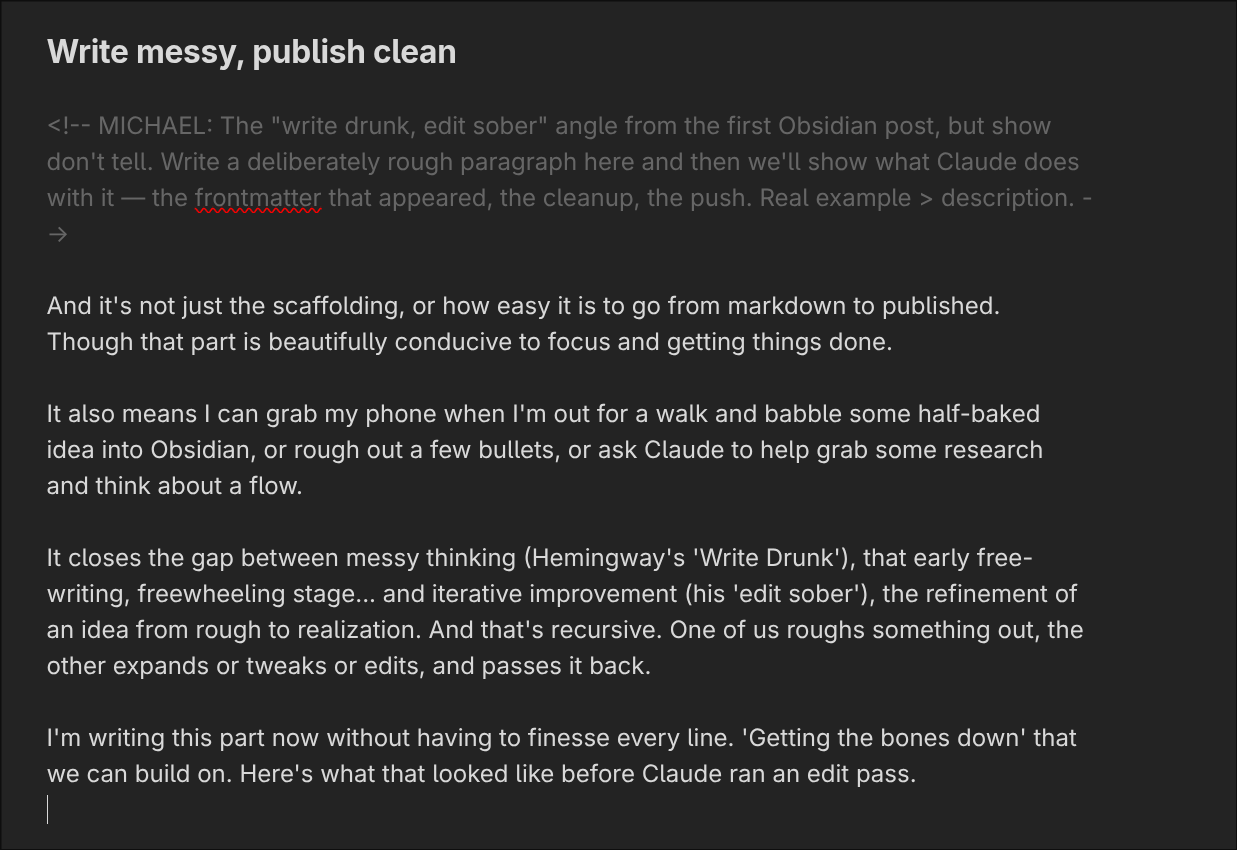
I’m writing this part now without finessing every line. Getting the bones down that we can build on. Here’s what that looked like before Claude ran an edit pass:
The back-and-forth
It’s not “human writes, tool publishes”, like an old-school word processor piped to a CMS. It’s more like having a really attuned, creative collaborator — co-writer, developmental editor, and conversation partner — figuring things out play by play.
Think, bounce ideas around, publish, make tweaks. Expand out. Shave off an extraneous line.
It’s a lot like pair programming, but for writing. Claude leaves me comments, and I leave mine back, passing the draft back and forth until we’re happy with how it reads.
Putting this site together, as we created and refined the homepage and about page, we’d discuss it in the terminal, mark up additions and suggestions inline, ship to production, and make sure everything looked great in a third window. All with the simplicity and fluidity of thinking aloud in a text editor and a terminal.
Your files, your design
Another thing that makes the experience feel focused and lightweight is a clean separation of concerns between content and design. As Jeffrey Zeldman put it:
Content precedes design. Design in the absence of content is not design, it’s decoration.
With wp-publish, your content is plain text files in a folder. Your site’s design lives on WordPress.com — themes, colours, typography, layout, CSS tweaks. They don’t bleed into each other.
The site you’re reading chose to reflect the terminal-and-markdown aesthetic of how we work, using the Beep theme by Automattic. But the same markdown could just as easily power something maximalist, magazine-styled, typographic, or animated. Your words don’t change when your design does.
Everything you can publish
Here’s what goes through the pipeline — all of it written in plain markdown, converted to WordPress blocks by Claude, and pushed via MCP.
Text and formatting
Regular paragraphs, bold, italic, inline code, and links all work exactly as you’d expect.
Lists
- Unordered lists render with hyphen markers (a CSS choice for this site — markdown native)
- Nested items work too
- Like this one
- Ordered lists
- Also work
Code blocks
claude mcp add --transport http wpcom-mcp https://public-api.wordpress.com/wpcom/v2/mcp/v1Blockquotes
“The line between ‘the tool’ and ‘the collaborator’ turns out to be blurry, and that’s kind of the point.”
Tables
| What | Where | Status |
|---|---|---|
| Posts | content/posts/ | Synced via MCP |
| Pages | content/pages/ | Synced via MCP |
| Images | Dashboard upload | MCP can’t push media (yet) |
| CSS | Site Editor | Additional CSS panel |
Embeds
Embeds are simple. Drop a link, and Claude takes care of the rest:
Images
Images aren’t currently supported by the WordPress.com MCP, so you have a couple of options:
- Upload an image wherever you want, and give Claude the URL
- Upload one to your WordPress.com media library, and… give Claude the URL
For the latter, just head to your logged-in site’s media upload page:
https://<your-site>.wordpress.com/wp-admin/upload.phpThen grab the URL from attachment details page (you’ll see a ‘Copy URL to clipboard’ button).
The one dashboard detour
Once you’ve set up your site’s design and credentials, uploading media is the only time you’ll ever really need to visit the WordPress.com dashboard.
The nice thing is that even if you fall out of practice and forget where things live in the menu, Claude’s great at pointing you in the right direction. Whatever your experience level with WordPress.com, if you can open a terminal and chat with Claude, you’re good to go.
The YAML you never wrote
Posts need metadata — and your local markdown files should have it too, so you know when you published, what tags and categories you used, and where to find any given post on your site.
When we first started working on the skill, we figured people would just edit some YAML frontmatter. But anyone who’s ever messed up spacing in YAML or put the wrong indent in the wrong place knows it can be a drag.
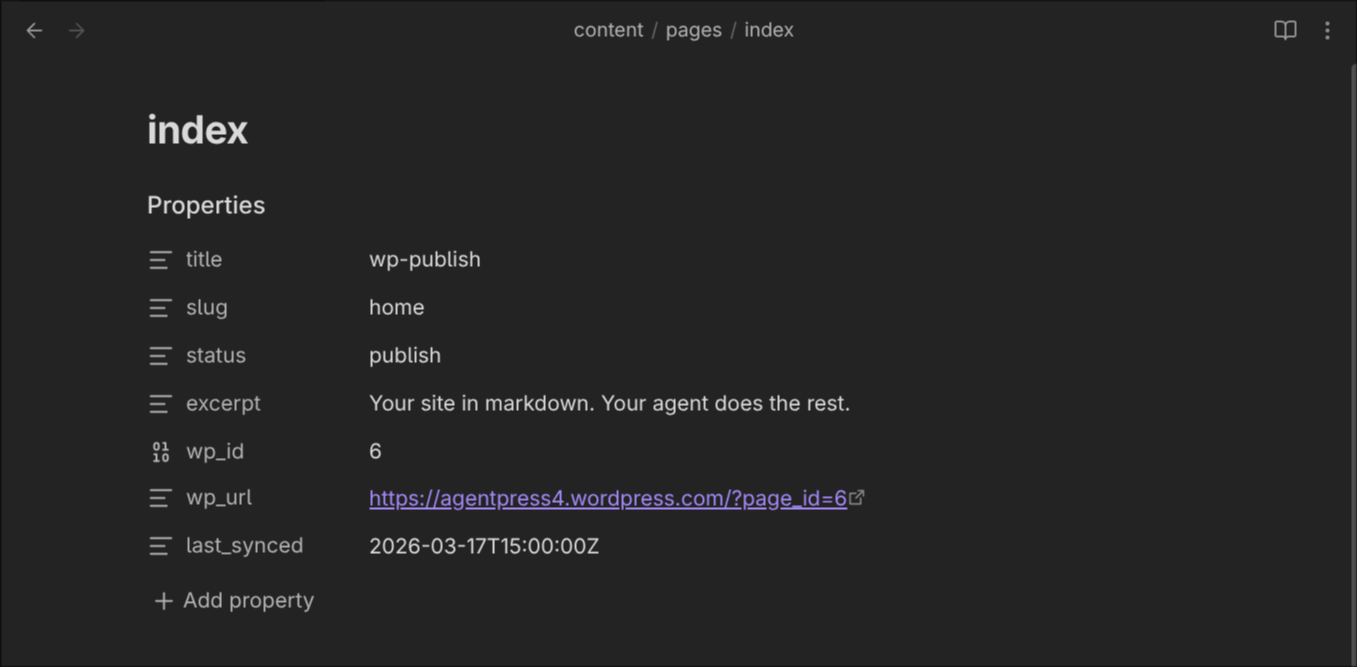
Here’s the thing: just write your post. Claude adds the frontmatter automatically — title, slug, date, tags, categories, excerpt — and updates it with the post ID and sync timestamp after publishing.
Here’s one Claude made earlier, for the homepage of this site:
Getting started
If you want to try this yourself: Get Started. The skill, this site’s content, and a working example are on GitHub.
This post was drafted in Obsidian, shaped through a conversation with Claude in the terminal next to it, and published without opening a browser. The frontmatter? Claude added it.
 wp-publish